


Sent from your own inbox.
Two-way email, merge fields and multi-step sequences. Follow-up connected to the record.
DEEPWATER / CONNECTED BUSINESS INTELLIGENCE
Your leads, conversations, pipeline and next steps belong in the same picture. Deepwater connects them so your team—and the AI tools you work with—can see what needs attention and move the work forward.
One module to start. A connected business as you grow. Hosted or self-hosted.
THE PIECES, CONNECTED
Your website creates demand. Your CRM holds the relationships. Signal makes meetings useful. Current connected modules work through one stateless MCP. Hours, Computer, Net and Learn are coming soon. Connect once and ask simple questions across your entire business.
One connector for CRM, Signal, Funnel and Cards. Your organization’s access rules apply.
ASK ACROSS YOUR BUSINESS
From the AI tools you already use, ask a question that crosses the gaps between systems.
Try a sample question · fictional records, no live query.
The example web enquiry has no follow-up task. Assign an owner, review the contact, and agree the next step.
The question crosses modules.
Your organization’s access rules still apply.
YOUR TOOLS / CONNECTED CONTEXT
Bring your AI tools and the sources your team already uses. Choose the connections that fit your Deepwater modules.
Compatible MCP clients, with each person’s own access.
Source access and setup depend on your modules and deployment.
Give Muse its own Deepwater identity, scoped permissions and approval controls. Let the agent pick up the next task while your team stays in control.
Explore agent setup02 / TEN MODULES. ONE BUSINESS.
Start with the work you need to improve: relationships, conversations, marketing or first connections. CRM, Signal, Funnel, Cards, Support and Health are scoped for your deployment. Hours, Computer, Net and Learn are coming soon. Together, they form one product direction.
Keep the relationship. Move the deal.
Turn conversations into follow-through.
See what brings people to your business.
Make the first connection count.
Know which clients need attention.
Find the answer. Keep moving.
Know where the time goes. Coming soon.
Meet Computer. Coming soon.
Share the work taking shape. Coming soon.
Build fluency. Put it to work. Coming soon.
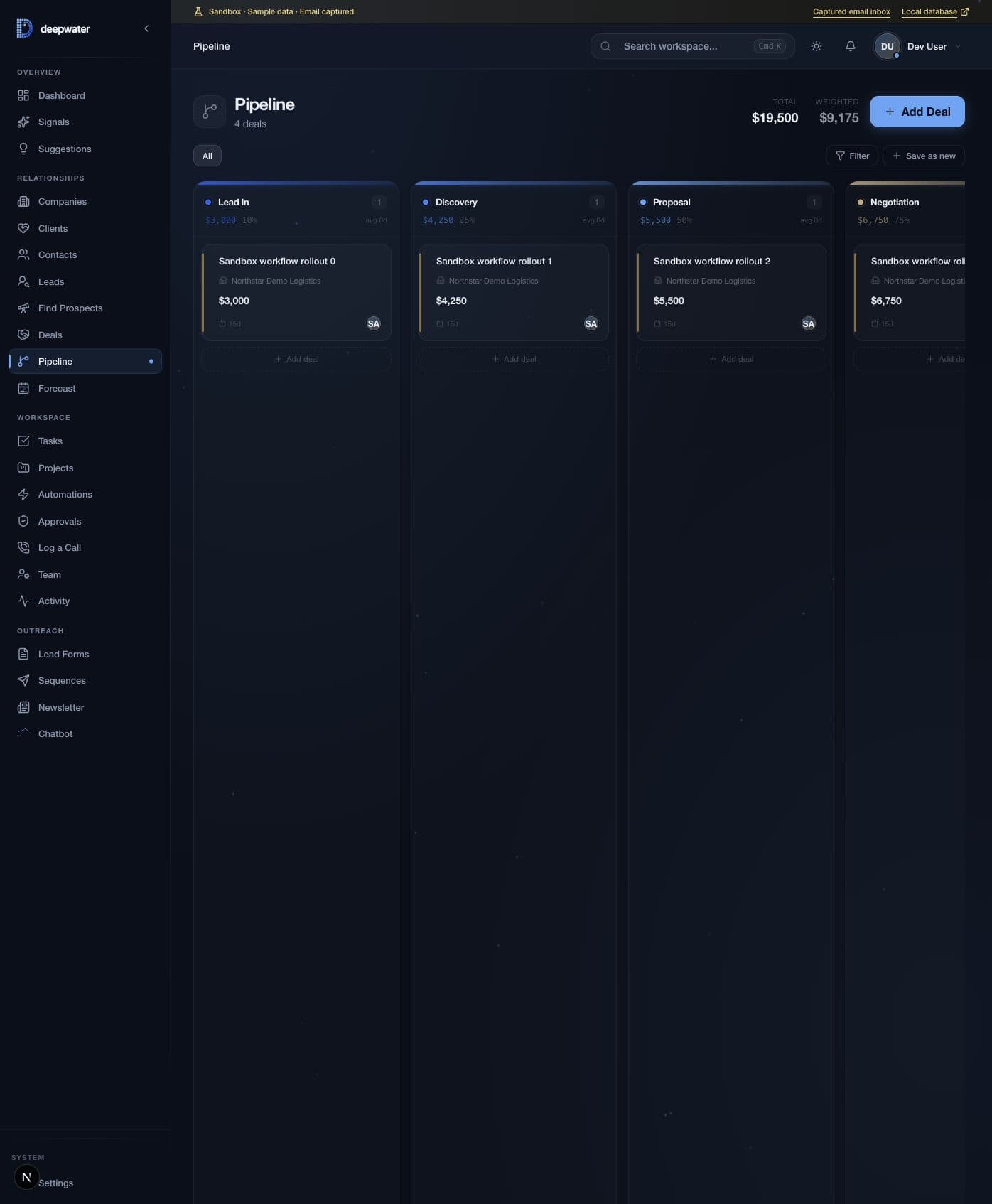

THE CRM MODULE / CAPTURE TO DELIVERY
Pipeline, email, sequences, lead forms, a newsletter and a website agent in one CRM. Keep the customer’s history close to the work.
Two-way email, merge fields and multi-step sequences. Follow-up connected to the record.
Tasks, projects, retainers and renewals connected to the customer, after the deal closes.
Column mapping, deduplication and CSV export when you need it.
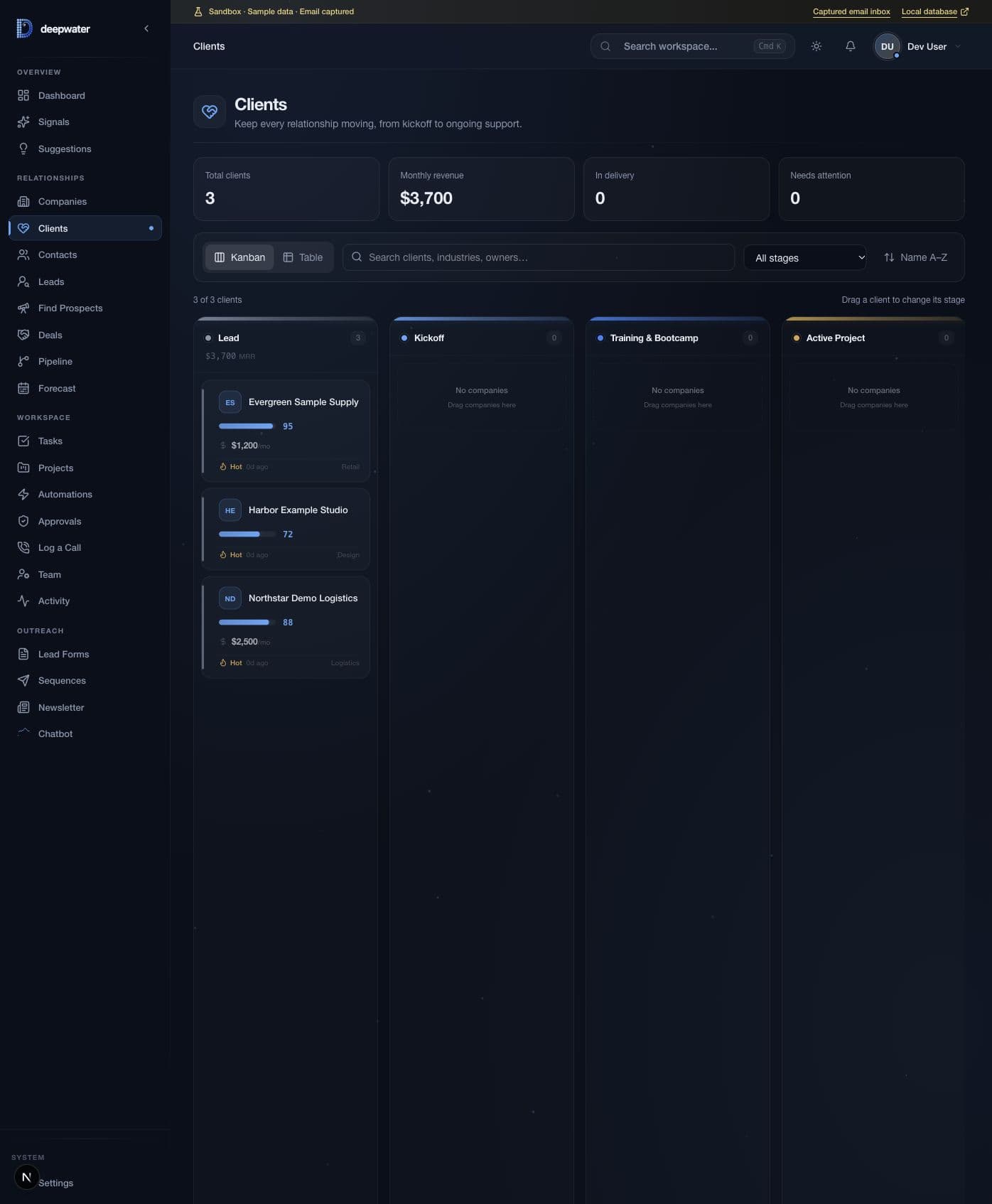
People. Pipeline. Projects. Next steps.
MODEL YOUR BUSINESS
A property manager needs Properties. An insurance agency needs Policies. Add the record types your business runs on, then arrange the workspace around them.
Custom objects, fields, record layouts and saved views for the way your team works.
Pages, API routes, record widgets and MCP tools alongside the product core. Keep business-specific work separate from shared improvements.
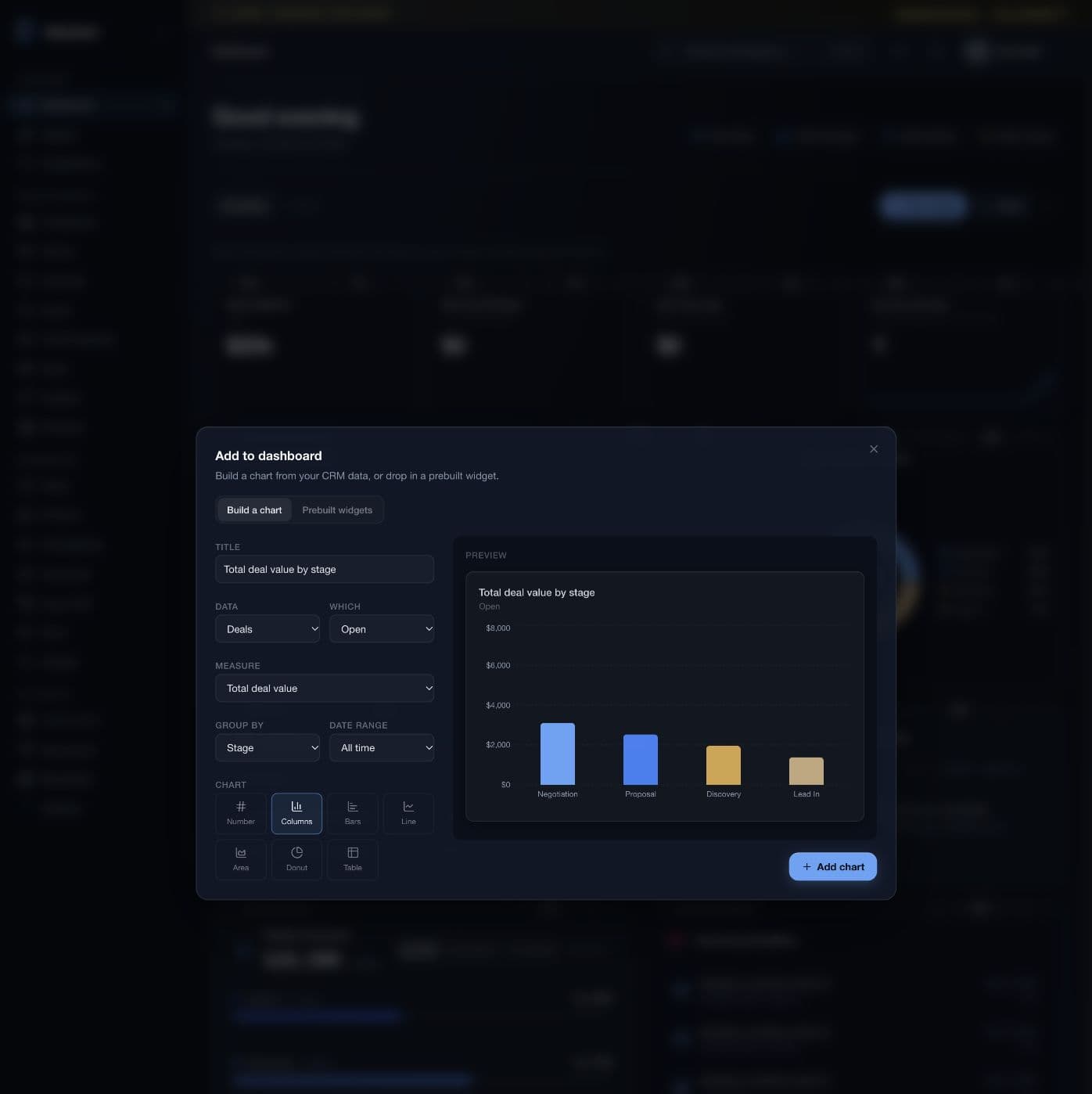
YOUR WORKSPACE / MORE WAYS IN
Your business intelligence layer should move with you. Work in the browser, connect your AI tools, and explore the native Apple experience being built for Deepwater.
Native app preview · Deepwater rollout in progress
The Apple app work spans iPhone, iPad, and native Mac, including CRM records and task actions. Deepwater app availability will be confirmed for each deployment.
Explore the app experienceINTERFACE STUDY / NATIVE APP PREVIEW
ALL YOUR MODULES / ONE STATELESS MCP
CRM, Signal, Funnel and Cards connect through one Deepwater MCP. Hours, Computer, Net and Learn are coming soon; their connector capabilities will be confirmed before launch. Connect once and ask simple questions across your entire business from the AI tools you already use.
Understand where leads come from, what happened in a meeting, which deals need attention, and what your team should do next. One connector brings the context together, with your organization’s permissions still in place.
The Streamable HTTP endpoint creates a fresh server and credential context per request. OAuth or supported API credentials identify the caller; scopes and enabled extensions shape the tool catalogue. Tool calls use the same authenticated API boundary as the product.
IMPLEMENTATION IS PART OF THE PRODUCT
Buying software is the beginning. We work through your process, agree the scope, configure the workspace, and help your team get comfortable with the handover.
See implementation pricingChoose the first workflow, success criteria, data sources and hosting model.
Shape fields, pipelines and permissions. Plan the agreed migration and integrations.
Review the result, train the people using it, and agree the handover.
CHOOSE WHERE IT LIVES
The same product direction, with separate data and configuration for each organization or installation.
Compare the operating modelsSTART WITH THE WORK WORTH IMPROVING
Show us where the work gets stuck. We’ll help you choose the modules, connections and implementation that move it forward.
Let’s work it through

